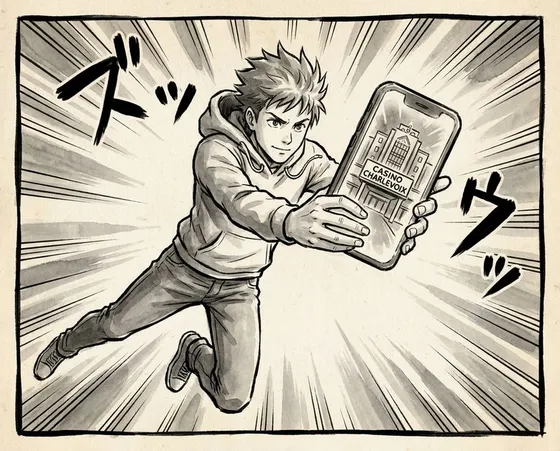

Getting Casino Charlevoix on Your Phone
There is no separate Casino Charlevoix APK file sitting on an official download page. Everything on mobile goes through Loto-Quebec - their app, their infrastructure, their login system. So if you have been hunting for a dedicated Charlevoix install file, that specific APK simply does not exist in an official version.
What you actually use is the Loto-Quebec mobile app, which includes direct access to the Casino de Charlevoix section. Same player profile, same wallet, same game lineup, just wrapped inside a shared platform instead of a Charlevoix-only app. In day-to-day use, this is usually smoother than installing and keeping track of several different casino apps.
Any APK you stumble upon that is not from Google Play or the casinos.lotoquebec.com domain is outside the operator’s control. Those unofficial files are not checked by Loto-Quebec and can easily carry malware, keyloggers or other ways to grab your credentials. Real risk, very little upside. The safe route is to stick to official app stores.
| Platform | How to Access | Minimum OS |
|---|---|---|
| Android | Google Play Store | Android 8.0 |
| iOS | Apple App Store | iOS 14 |
| Browser | casinos.lotoquebec.com | Any modern browser |
The application is free to install, works in both English and French, and runs on the vast majority of phones and tablets currently used across Canada.
Installing the App
On a typical Canadian mobile connection, getting everything up and running usually takes under five minutes from start to finish. The flow is simple:
- Open the Google Play Store or Apple App Store on your phone or tablet.
- Type “Loto-Quebec” into the search field.
- Look for the official release from Loto-Quebec and tap Install or Get.
- When the download is done, tap Open to launch it.
- Log in with your existing account, or tap “Create Account” to set up a new one.
- After you are signed in, use the bottom navigation bar to move into the Casino section.
- Find Casino de Charlevoix in the list of properties, or type its name into the search inside the casino tab.
- Choose a game type - slots, table games, live dealer - then tap a title to start playing.
The app does not ask for any strange or intrusive permissions. Storage and network are standard requirements. Location can be enabled, but it is optional and limited to proximity-related features, not needed to actually play.
One practical note if you use both browser and app: log out of the browser session before switching over to the app. When the same account stays active in two places at once, occasional login conflicts pop up and you may waste a minute sorting the session out.
Creating and Verifying Your Account
Before you can place real-money bets, your Loto-Quebec profile has to be fully verified. Registration is handled either inside the app or through the desktop site, no need to visit the land-based casino. Age checks are strict - minimum age is 18 under Quebec regulations.
To register a new account:
- Tap “Create Account” on the main app screen.
- Enter your email address and set a password that fits the on-screen rules.
- Fill in your full legal name, date of birth, and home address.
- Confirm the terms of service and the responsible gaming declaration.
- Open the verification email in your inbox and click the link to activate your profile.
- Go back into the app and upload a photo of a government-issued ID to finish identity checks.
- Wait until the “Verified” label appears in Account Settings, which usually happens within one business day.
After your status switches to verified, the deposit, withdrawal and full gameplay features become available. Until then you can move around the interface, but you will not be able to complete any financial transaction. It is worth getting this part out of the way ahead of time, instead of trying to rush verification when you are already ready to play.
What Games Are Available
Inside the Loto-Quebec app, the casino area reflects the catalog linked to the Charlevoix property. Everything is broken into clear categories so you are not scrolling endlessly.
| Category | Examples | Notes |
|---|---|---|
| Slots | Video slots, classic reels | Largest category by title count |
| Table Games | Blackjack, roulette, baccarat | Multiple variants per game type |
| Video Poker | Jacks or Better, Deuces Wild | Single and multi-hand options |
| Live Dealer | Live blackjack, live roulette | Needs a stable connection |
Each game tile displays the name, provider and a Play button. Some titles also feature a Demo option, letting you try the mechanics without committing real money first. Switching from Demo to real-money mode is a single tap from inside the game window.
Live dealer deserves a small extra comment. Those tables rely on a constant video stream, so they really need a decent connection to behave well. On a weak mobile signal or spotty Wi-Fi, the stream may stutter or drop and the whole experience turns clunky quickly. Playing on mobile data is fine, just check your signal strength before sitting at a live table.